Posts

Showing posts with the label SQL Server

Getting Start With Data Analysis Using SSAS Tabular Modeling In Excel - Part Two
Image
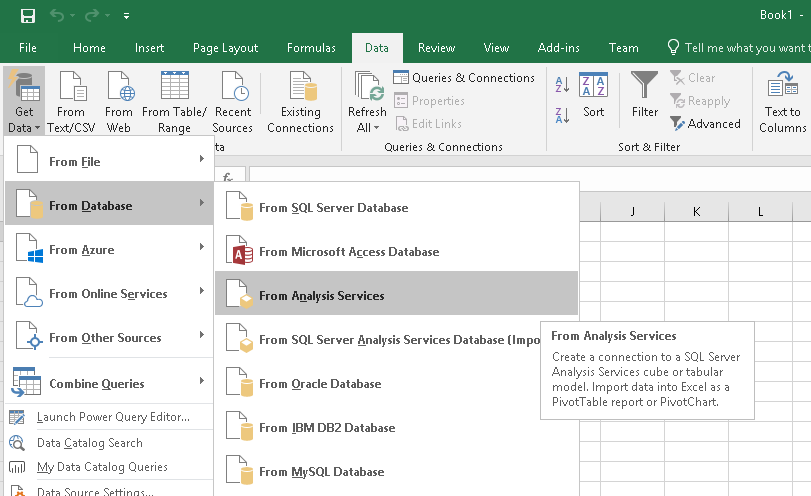
In this article, we are going to see how business users can utilize the tabular model for data analysis and visualization in Excel. This article depends on Part I. So, it would be great if you first go through this: Getting started with data analysis using SSAS Tabular Modeling in Excel - Part I We will see how we can create SSAS tabular model and setup measure, roles, calculated columns, hierarchies in tabular modeling. Now, we created a Tabular Model and deployed it on the analysis server. Let’s open Excel. Go to Data Tab, click on Get Data Option from a ribbon. Go to From Database, Analysis services. It will open Data connection wizard, enter server & credential details. Click on next. Select Tabular Model Database. Click on next. Now, Save Data Connection and Click on finish. Go to Insert Tab, Click on Pivot Table option from the ribbon. Select External Data Source. Click on choose connection. We can see our saved data connec...

Getting Started With Data Analysis Using SSAS Tabular Modeling In Excel - Part One

Image
As we all know, SQL Server Analysis Service (SSAS) is an analytical data engine used in decision support and business analytics. It provides enterprise-grade semantic data models for business reports and client applications, such as Power BI, Excel, Reporting Services reports, and other data visualization tools. We will try to implement the same workflow to show how we can do data analysis in SSAS. I have divided this in two parts, Getting started with data analysis using SSAS Tabular Modeling in Excel - Part I We will see how we can create SSAS tabular model and setup measure, roles, calculated columns, hierarchies in tabular modeling. Getting started with data analysis using SSAS Tabular Modeling in Excel - Part II We will see how business users or we can do data analysis on SSAS tabular model in excel. Let’s get started with this example. Prerequisite SQL Server (SSMS and SSAS Tabular Model Configured) - here we have used SQL Server 2017 Developer Edition. SSDT (SQ...

Contact Application Using ASP.NET Core Web API, Angular 6.0, And Visual Studio Code - Part One

Image
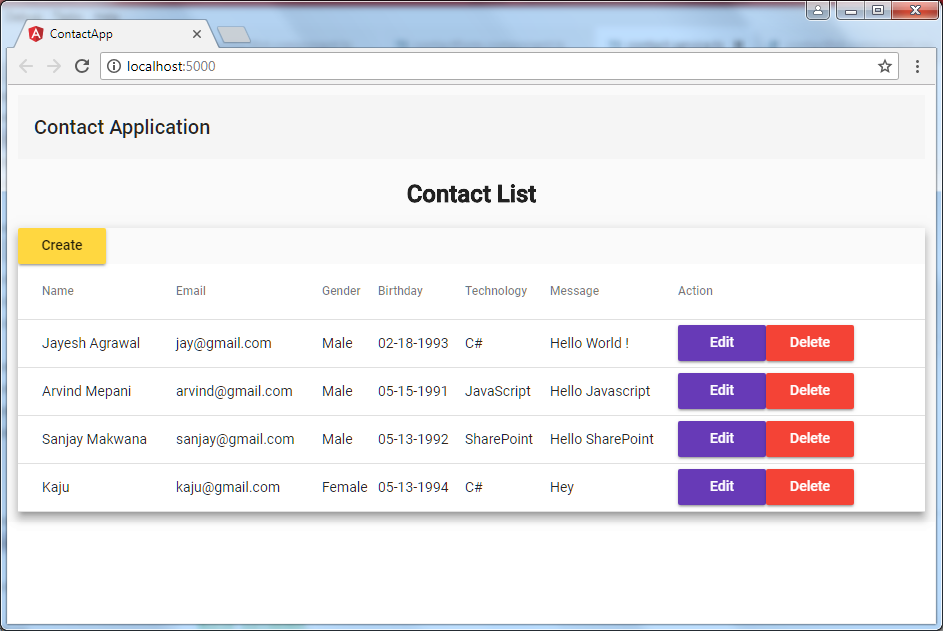
We will develop a contact application using ASP.NET Core Web API, Angular 6.0, and Angular Material UI as shown in the below screenshots.  We will use Visual Studio code (VS code) for the development editor.  I have divided contact application development into two articles, Contact Application using ASP.NET Core Web API, Angular 6.0, and Visual Studio Code Part – 1 In the article, we will set up ASP.NET Core Web API project, and develop the Web API controller for contact CRUD operations. Contact Application using ASP.NET Core Web API, Angular 6.0, and Visual Studio Code Part – 2 In the article, we will setup Angular 6 within ASP.NET Core Web API Project, and develop the contact form & list component using Angular Material UI. So, starting with this article, first, we will see how we can create ASP.Net Core Web API Project. We have the following prerequisites, Visual Studio Code (VS code) editor Please see this  article  to see how we ca...